Add Learners to track Progress
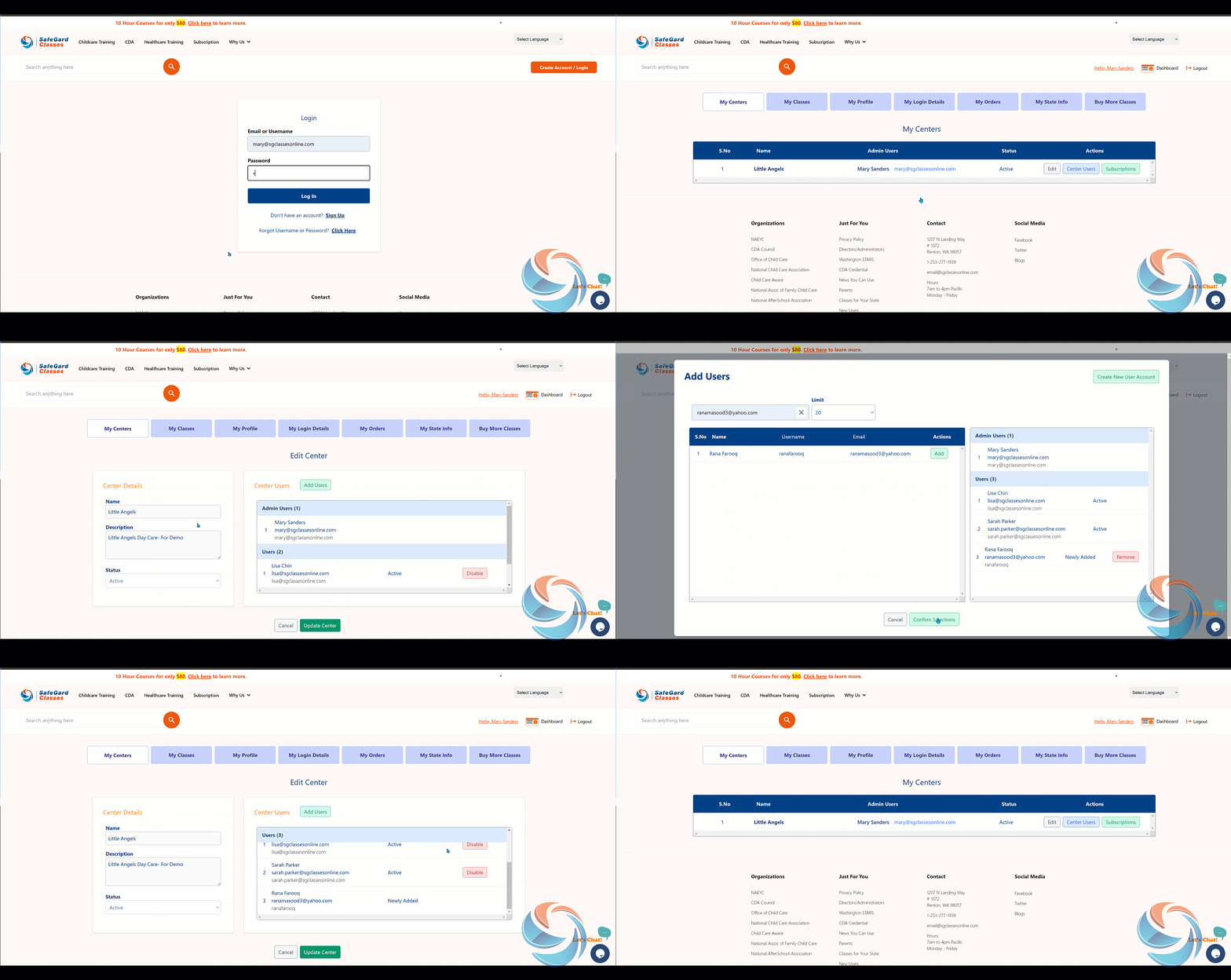
- Please log in using your admin credentials.
- Go to "My Centers" and click on "Edit.".
- Click on "Add Users" and search for the learners using email address. Click on "Add" and "Confirm Selections"
- Make sure the learner is added and click on "Update Center" button.